Visualize Wealth: Viziphi
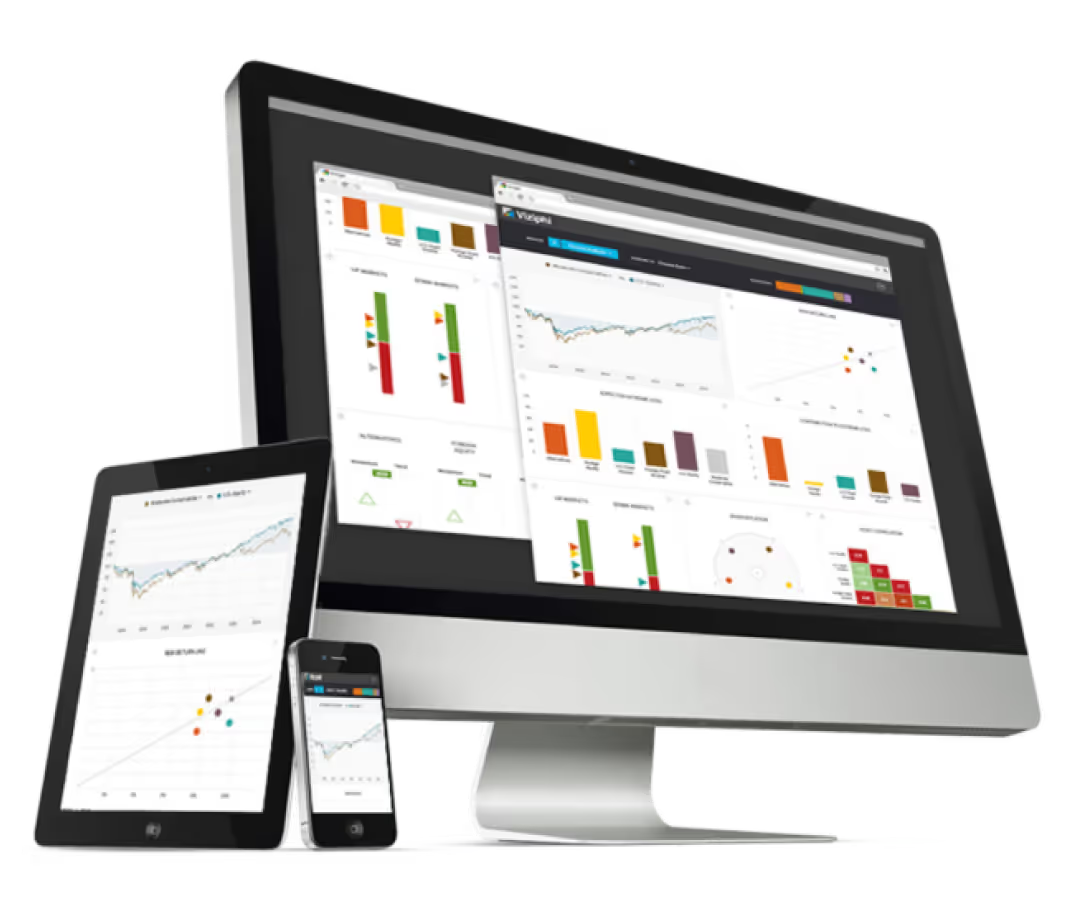
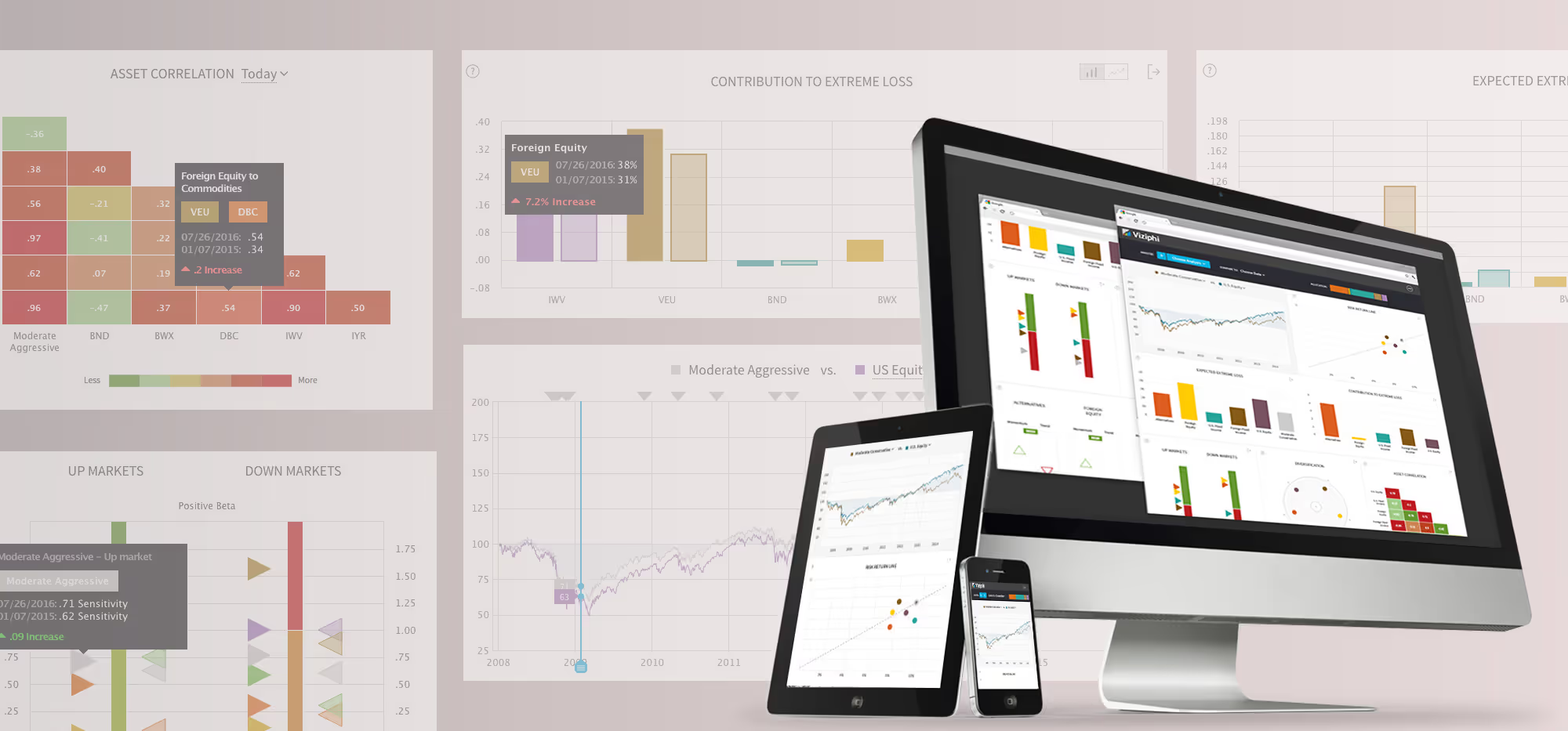
A data visualization dashboard simplifies complex portfolio data, helping asset managers make smarter decisions and clearly demonstrate their value—driving client trust, retention, and growth.
Desktop computer, tablet, and smartphone displaying colorful data charts and graphs on their screens.
[ 2016 / Case study ]

Viziphi: Project Overview

The Challenge
The financial landscape for Asset Managers and Financial Advisors is becoming increasingly complex and competitive. Advisors are under pressure to deliver value, reduce costs, and communicate insights effectively—yet the tools available to them often fall short. Traditional reports are difficult to interpret, lack visual clarity, and fail to inspire confidence—contributing to a widespread trust gap between investors and advisors.

Our Solution
Viziphi is a data visualization platform that helps Portfolio Managers and Asset Managers make smarter allocation decisions and clearly demonstrate value to their clients. Combining proprietary quantitative models with a simplified UX/UI, Viziphi enables users to explore portfolio risk, compare performance, and uncover actionable insights—all in a highly visual, interactive environment.The result: greater transparency, faster decision-making, and stronger client relationships.

The Outcomes
→ Selected for Startupbootcamp’s 2016 FinTech Accelerator
→ Evolved into Visualize Wealth, a B2B2C platform promoting investment transparency
→ Recognized for advancing the democratization of financial insight through design and technology by americanbanker.com

From Idea to Concept

Viziphi began like many startups do—sketched on a coffee shop napkin. Ben and I shared a passion for democratizing finance through better design. His deep domain expertise and my product design background proved to be a powerful combination.
We followed a user-centered, end-to-end process, beginning with market research, concept exploration, and data visualization strategy. Our focus was on surfacing complex financial data in a way that was clear, insightful, and actionable.
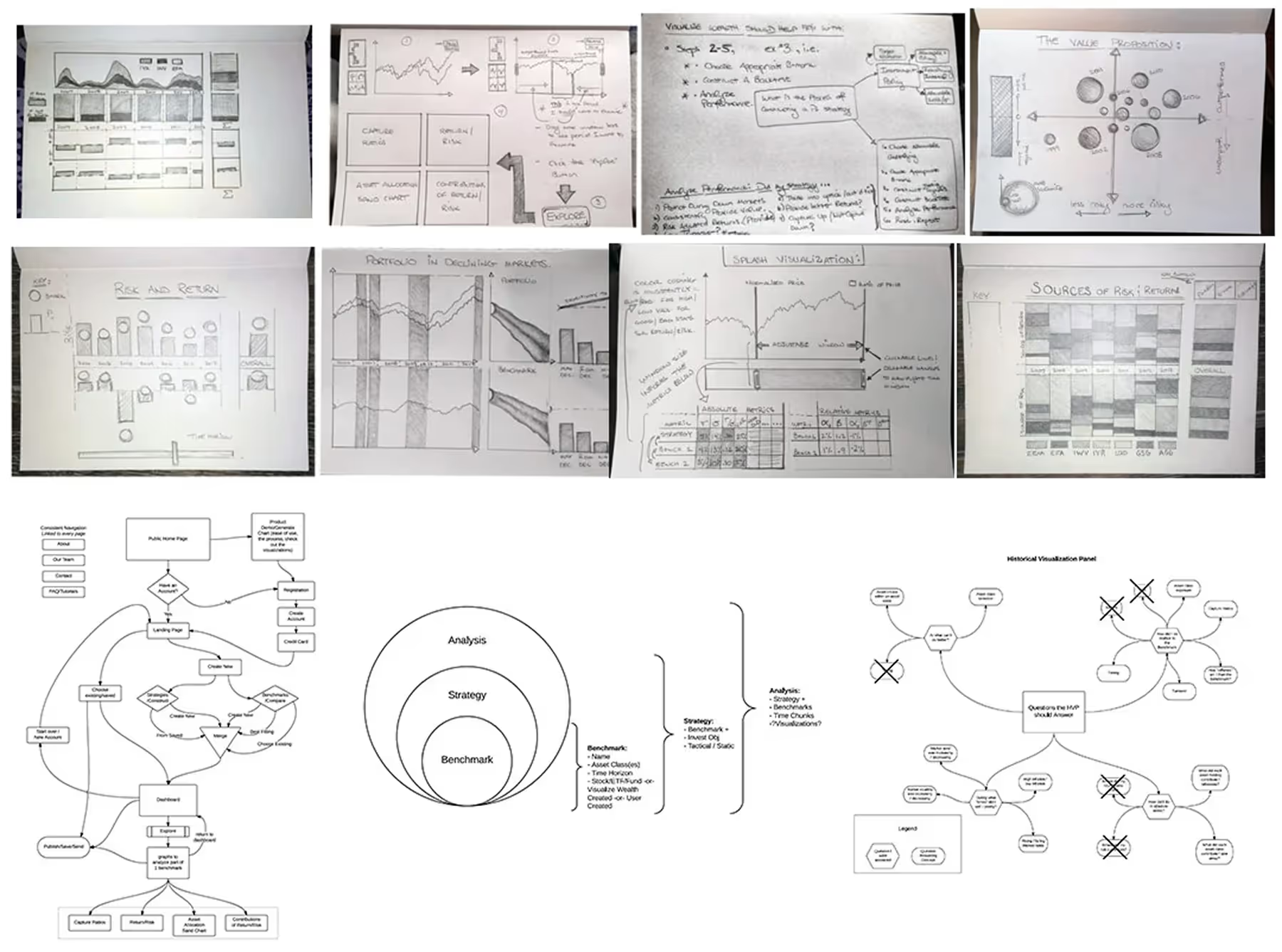
Collage of hand-drawn concept sketches including charts, risk and return diagrams, portfolio market analysis, flowcharts, and visualization panels related to financial data and strategy.

Once the visualization logic was defined, we moved into interaction design and navigation, ensuring the interface supported exploration without distracting from the data.
Our hypothesis:
“Through clean, elegant design supported by rigorous analytics, financial insights can become truly understandable—and therefore, more valuable.”

Designing Data That Speaks

Price Chart

An interactive performance view that lets users set a comparison date for the entire dashboard, explore historical market events, and benchmark assets or portfolios.
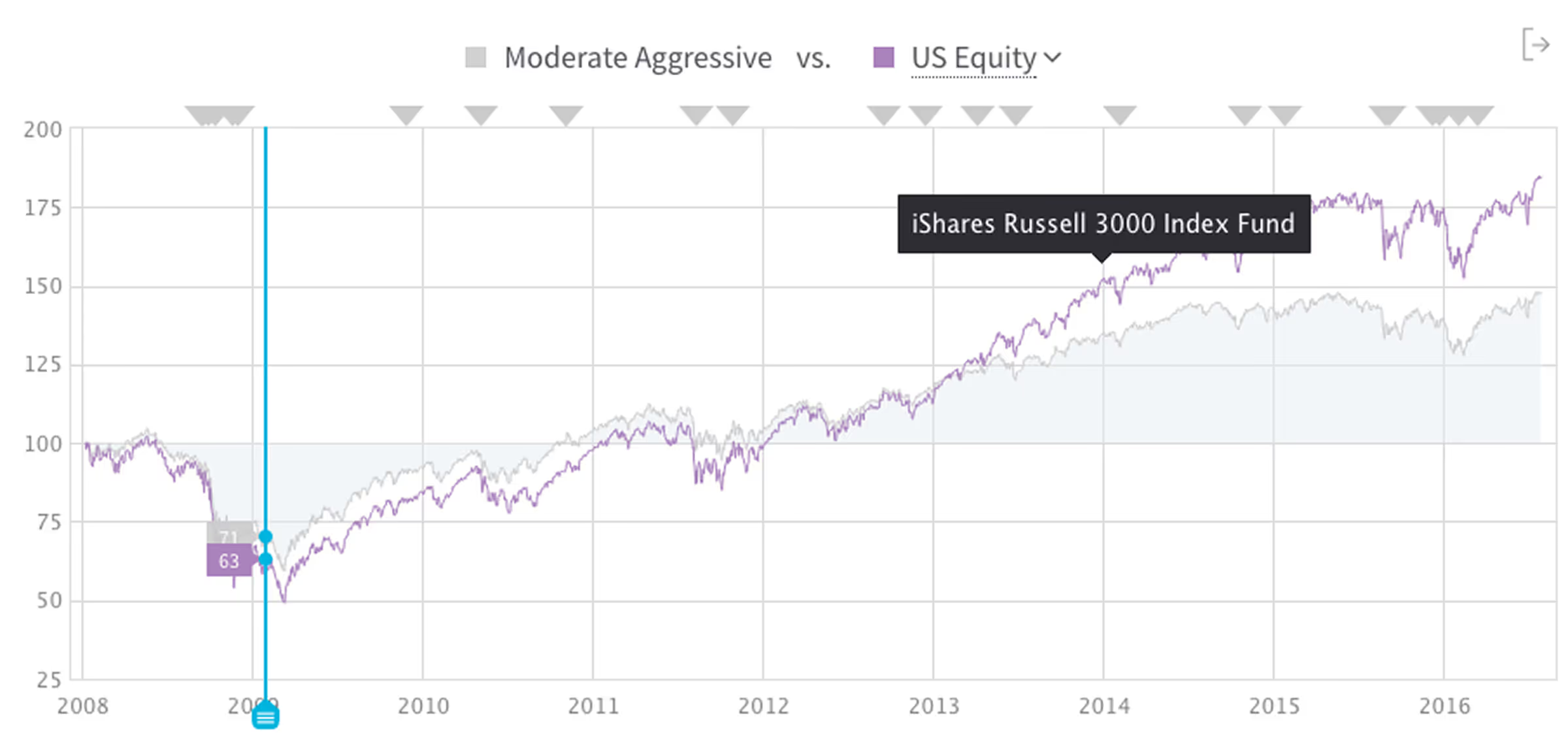
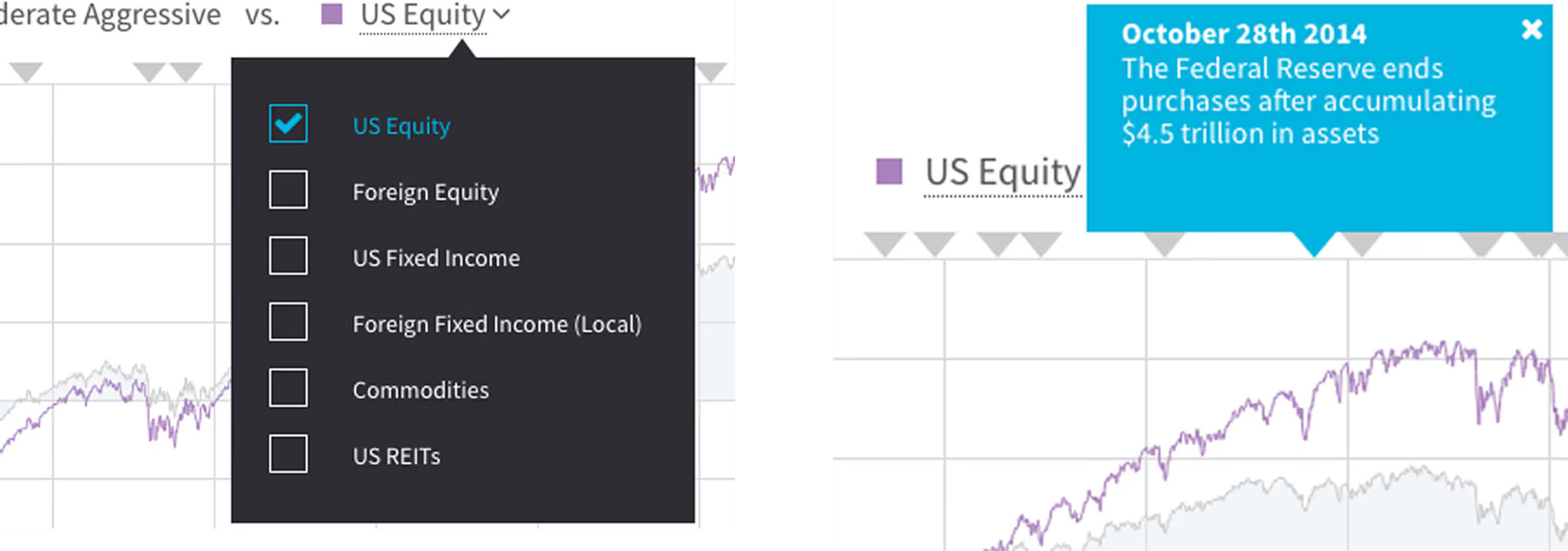
Line chart comparing Moderate Aggressive and US Equity performance from 2008 to 2016, showing US Equity (purple line) steadily outperforming Moderate Aggressive (gray line).Investment options menu on left with US Equity selected; on right, a blue info box dated October 28th, 2014, explains the Federal Reserve ended purchases after $4.5 trillion in assets, over a chart comparing US Equity and other assets.

Risk & Return

An interactive performance view that lets users set a comparison date for the entire dashboard, explore historical market events, and benchmark assets or portfolios.
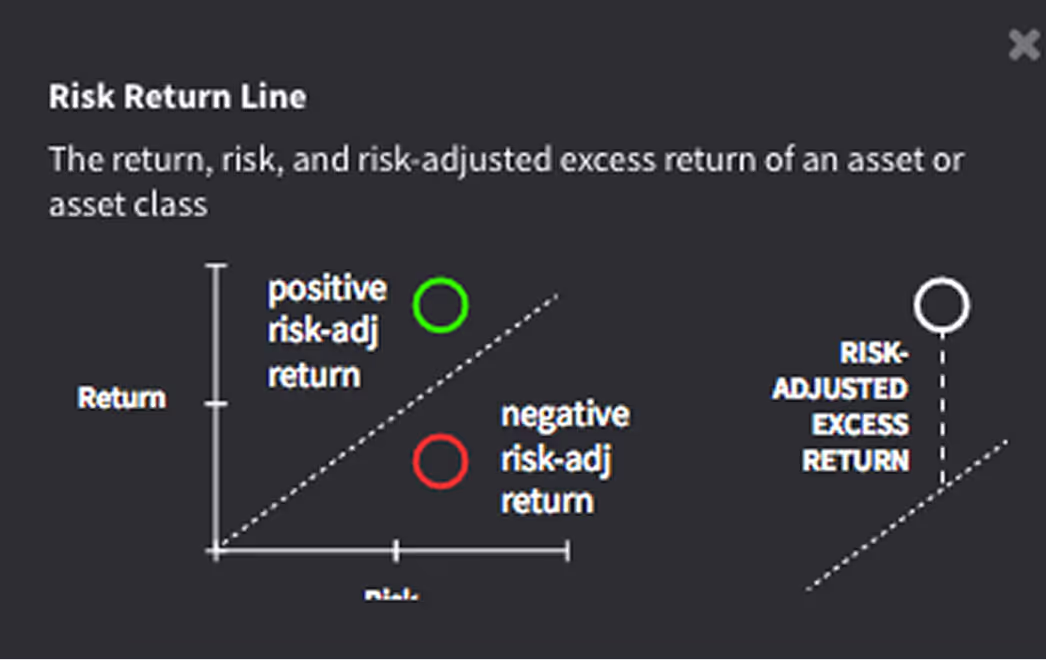
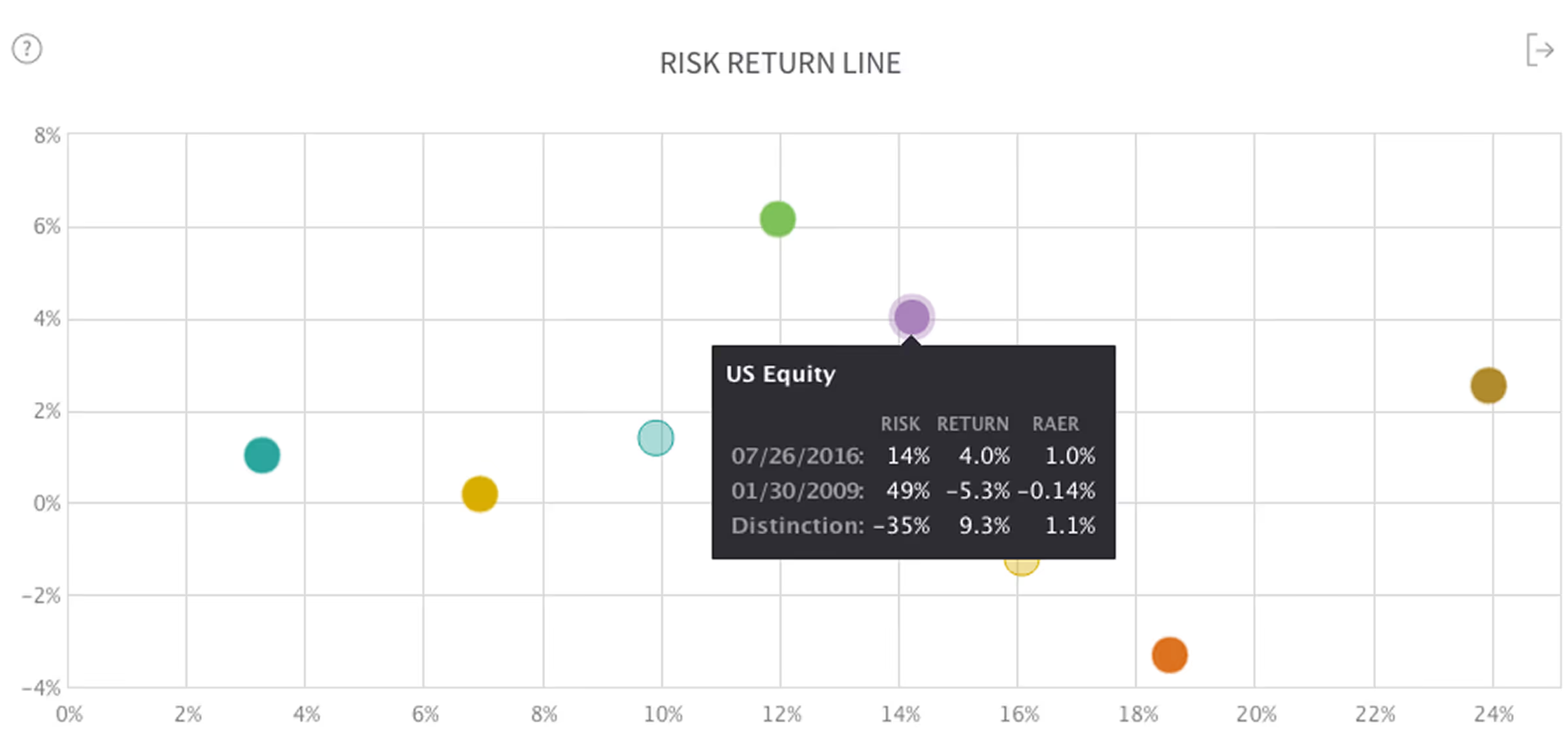
Diagram titled Risk Return Line showing return versus risk with positive risk-adjusted return marked by a green circle above the line, negative risk-adjusted return marked by a red circle below the line, and risk-adjusted excess return highlighted on the right.
Scatter plot titled Risk Return Line with colored dots representing different data points; tooltip displaying US Equity risk, return, and RAER values for 07/26/2016 and 01/30/2009, and their distinctions.

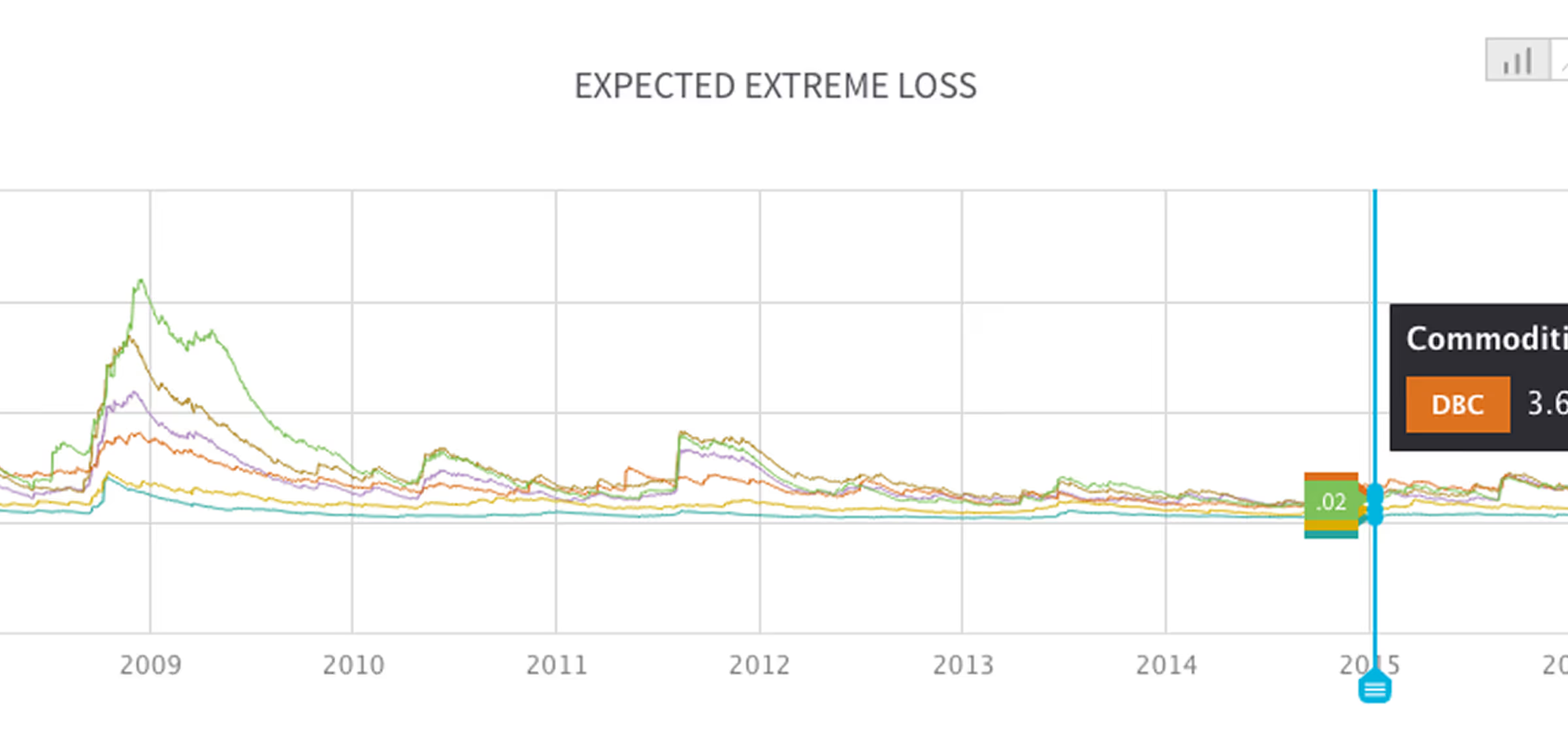
Expected Extreme Loss

Shows the potential downside for each asset under worst-case scenarios, with timeline and comparison views for deeper insight into portfolio vulnerabilities.
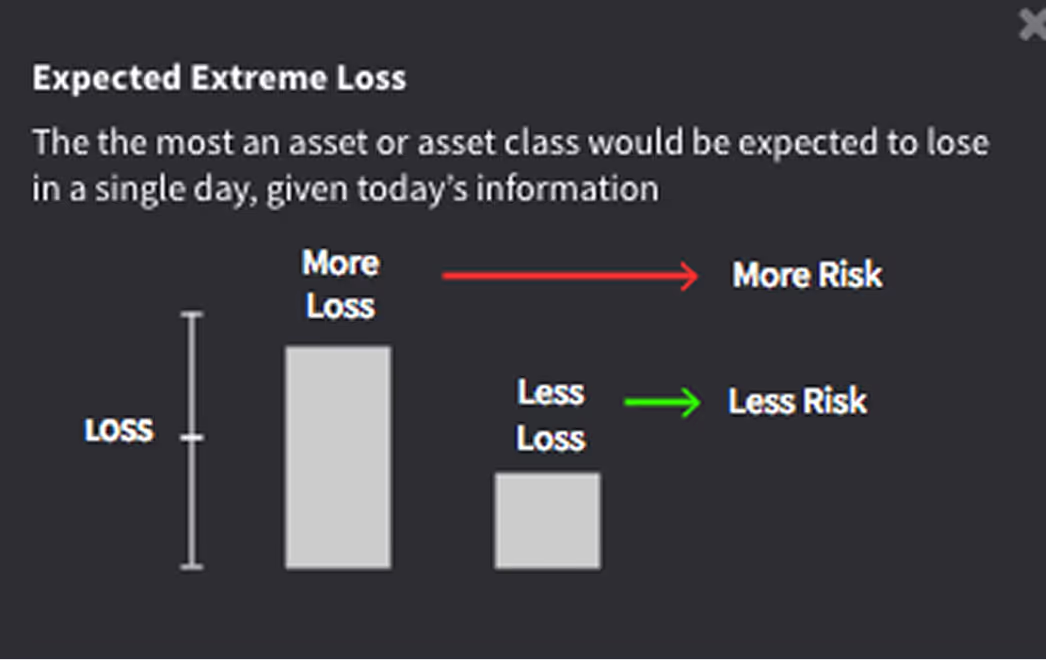
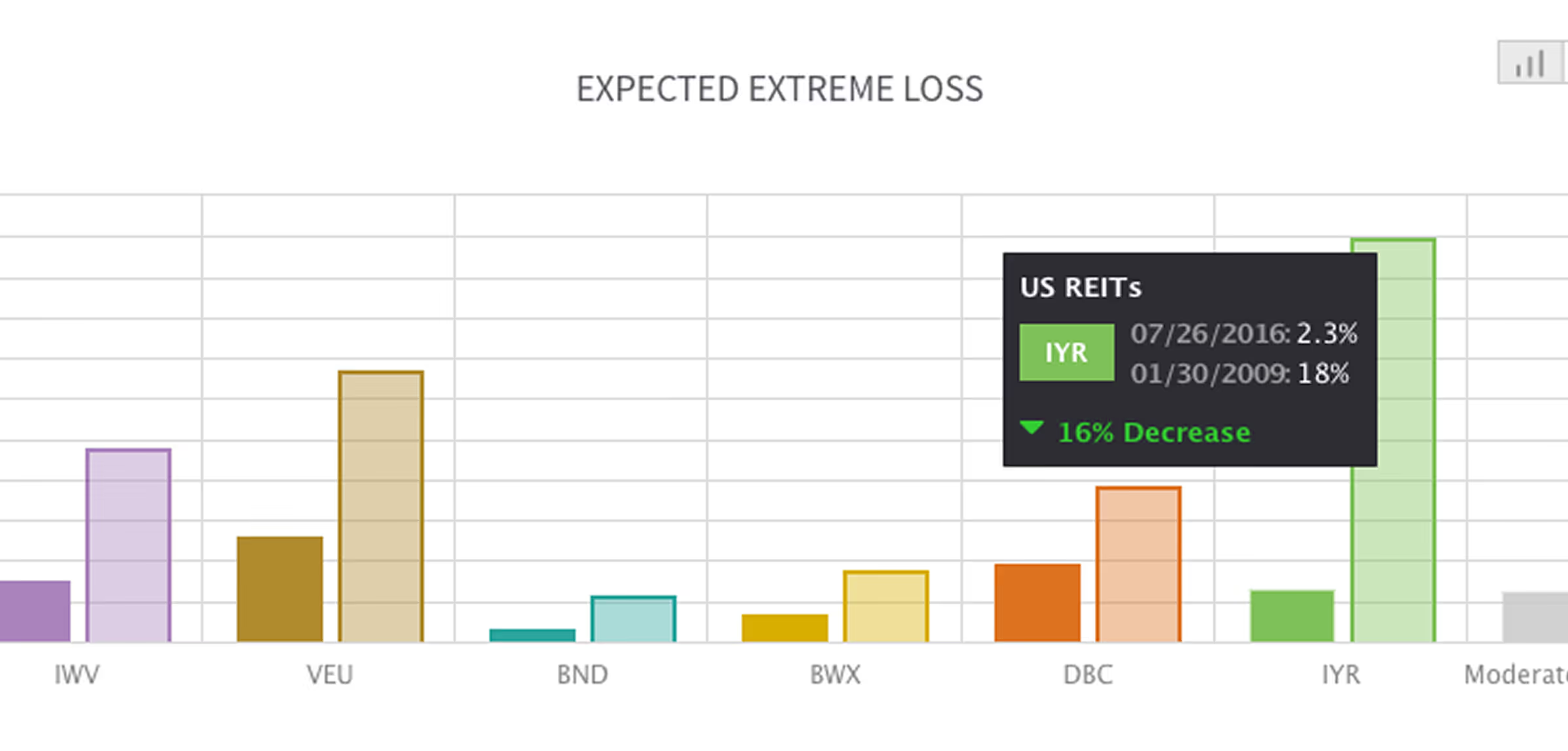
Diagram explaining expected extreme loss with two bars labeled More Loss and Less Loss; more loss indicates more risk with a red arrow, less loss indicates less risk with a green arrow.
Bar chart titled Expected Extreme Loss displaying loss percentages for assets IWV, VEU, BND, BWX, DBC, and IYR, with a tooltip on IYR showing a 16% decrease from 18% in 2009 to 2.3% in 2016.Line graph showing expected extreme loss for various commodities from 2008 to 2015, with a noticeable peak around 2009.

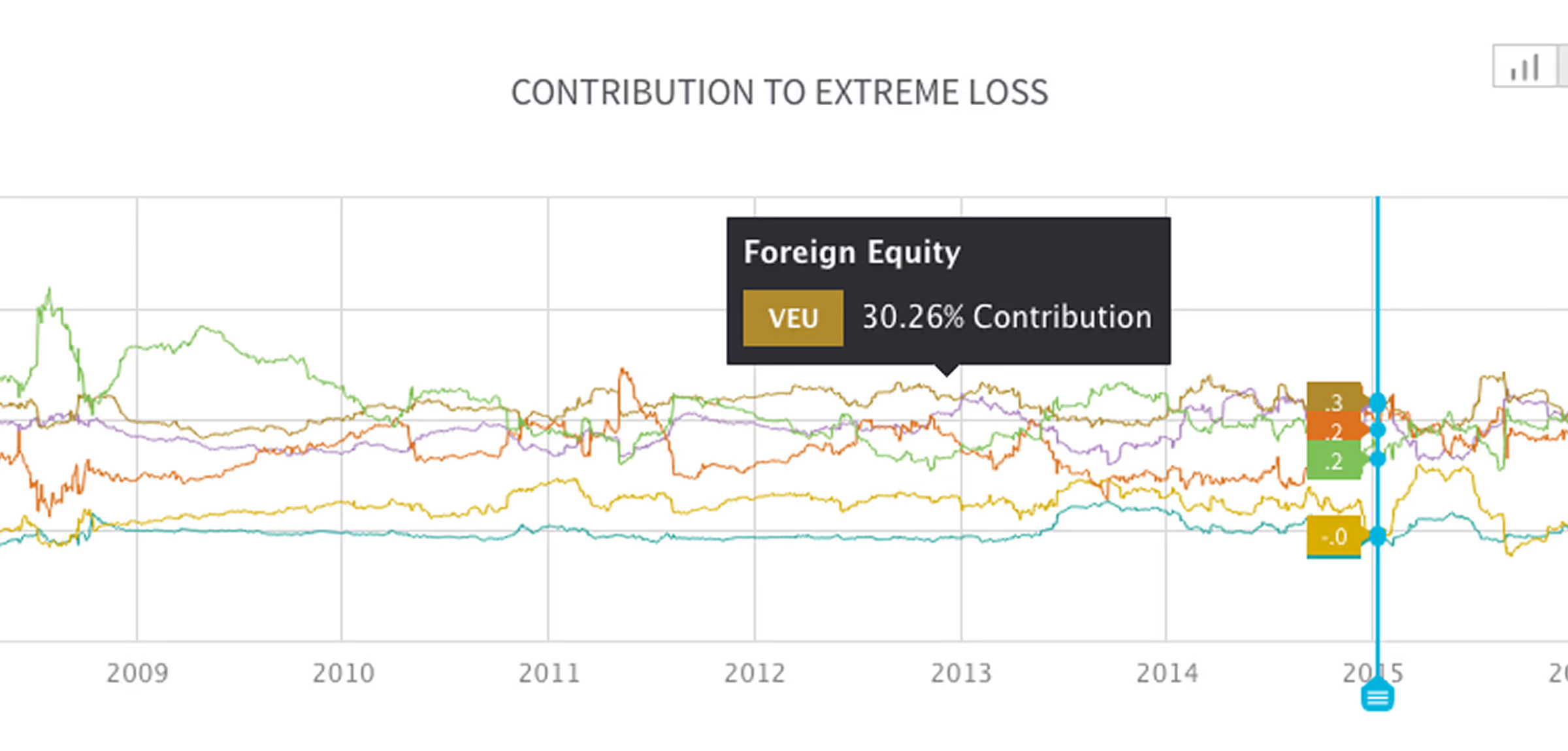
Contribution to Extreme Loss

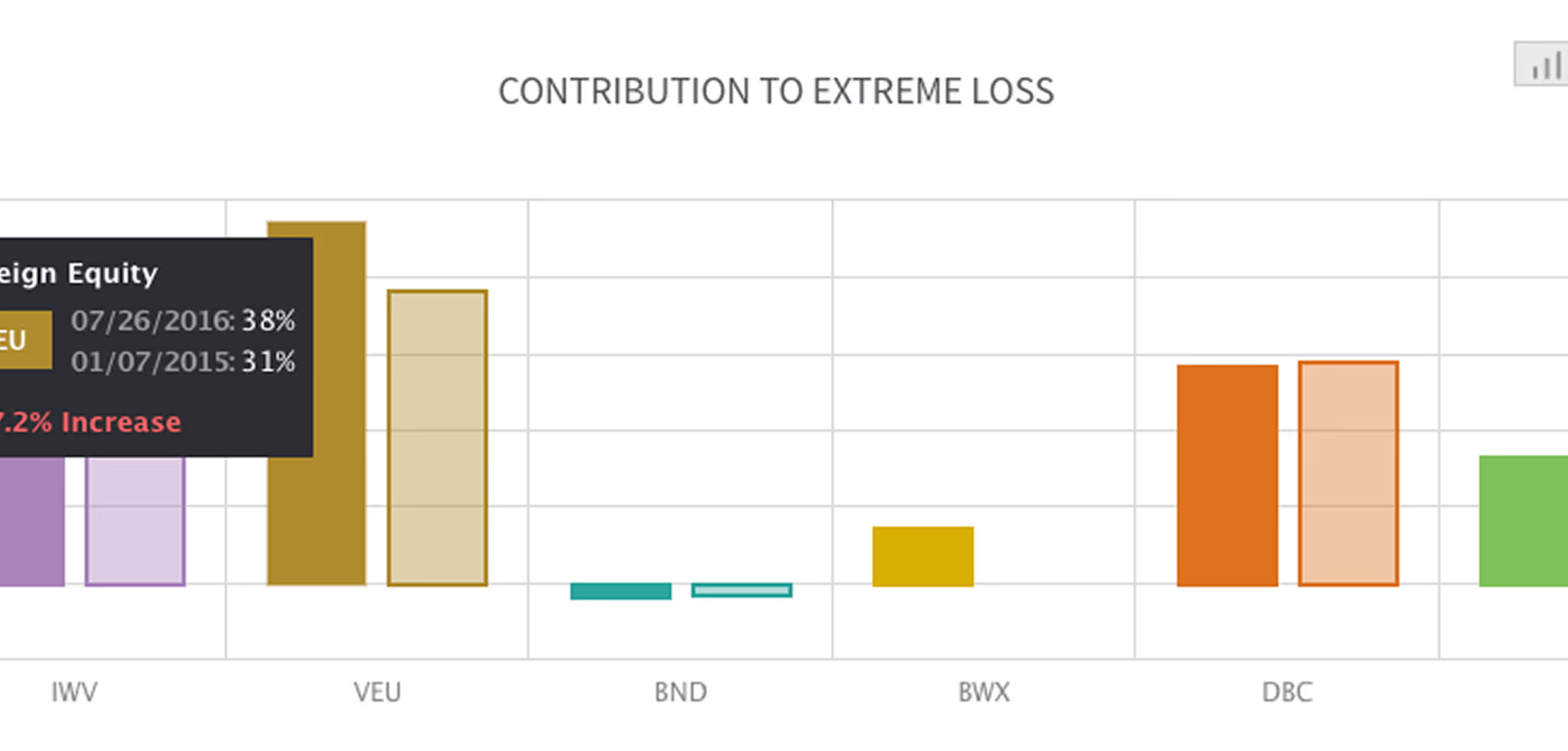
Illustrates how individual assets contribute to total portfolio risk through covariation, enabling better diversification decisions.
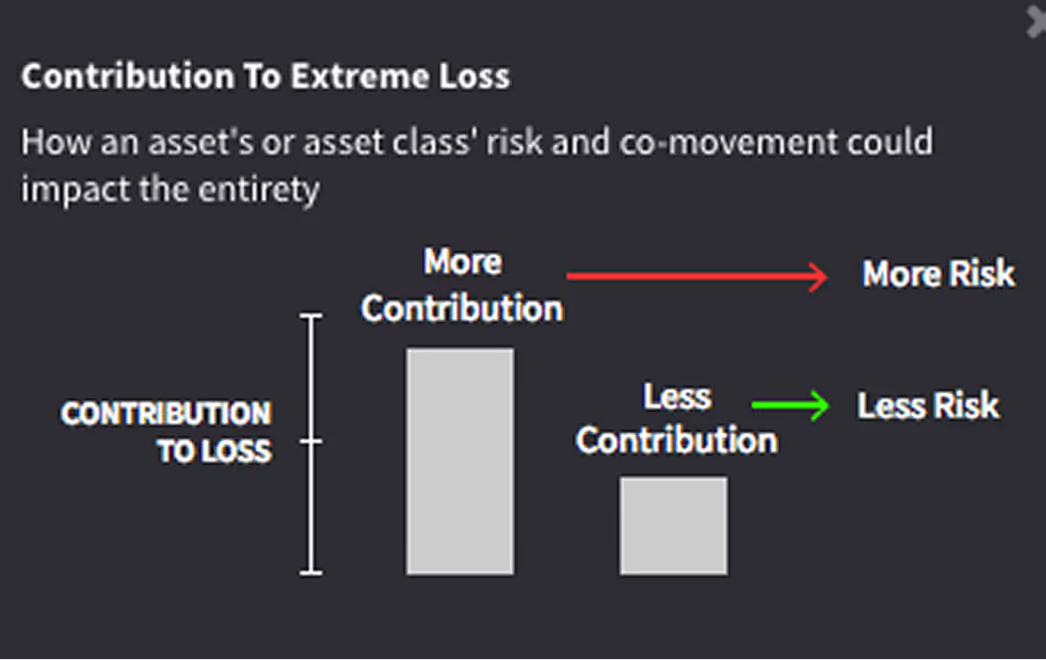
Bar chart illustrating how more contribution to loss leads to more risk and less contribution leads to less risk in asset risk and co-movement.
Bar chart titled 'Contribution to Extreme Loss' showing various ETFs with highlighted data for VEU indicating an increase from 31% to 38%.Line chart titled 'Contribution to Extreme Loss' showing trends from 2009 to 2015 with a highlighted data point indicating Foreign Equity (VEU) contributed 30.26%.

Performance Relative to Up Markets and Down Markets

Side-by-side view of asset performance in rising and falling markets—an intuitive visual for stress testing and historical context.
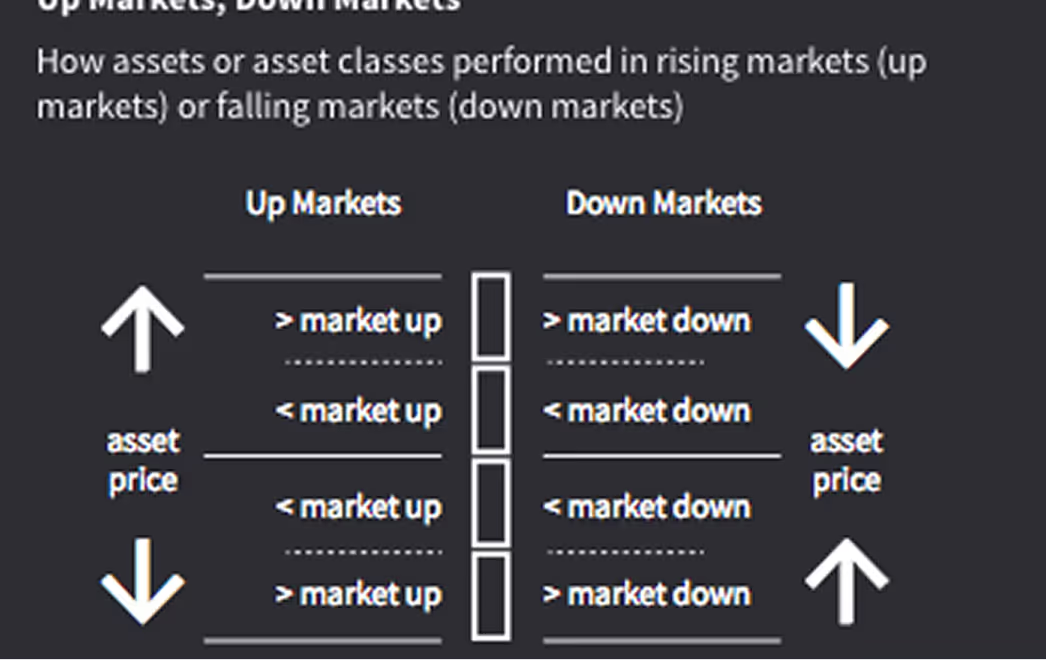
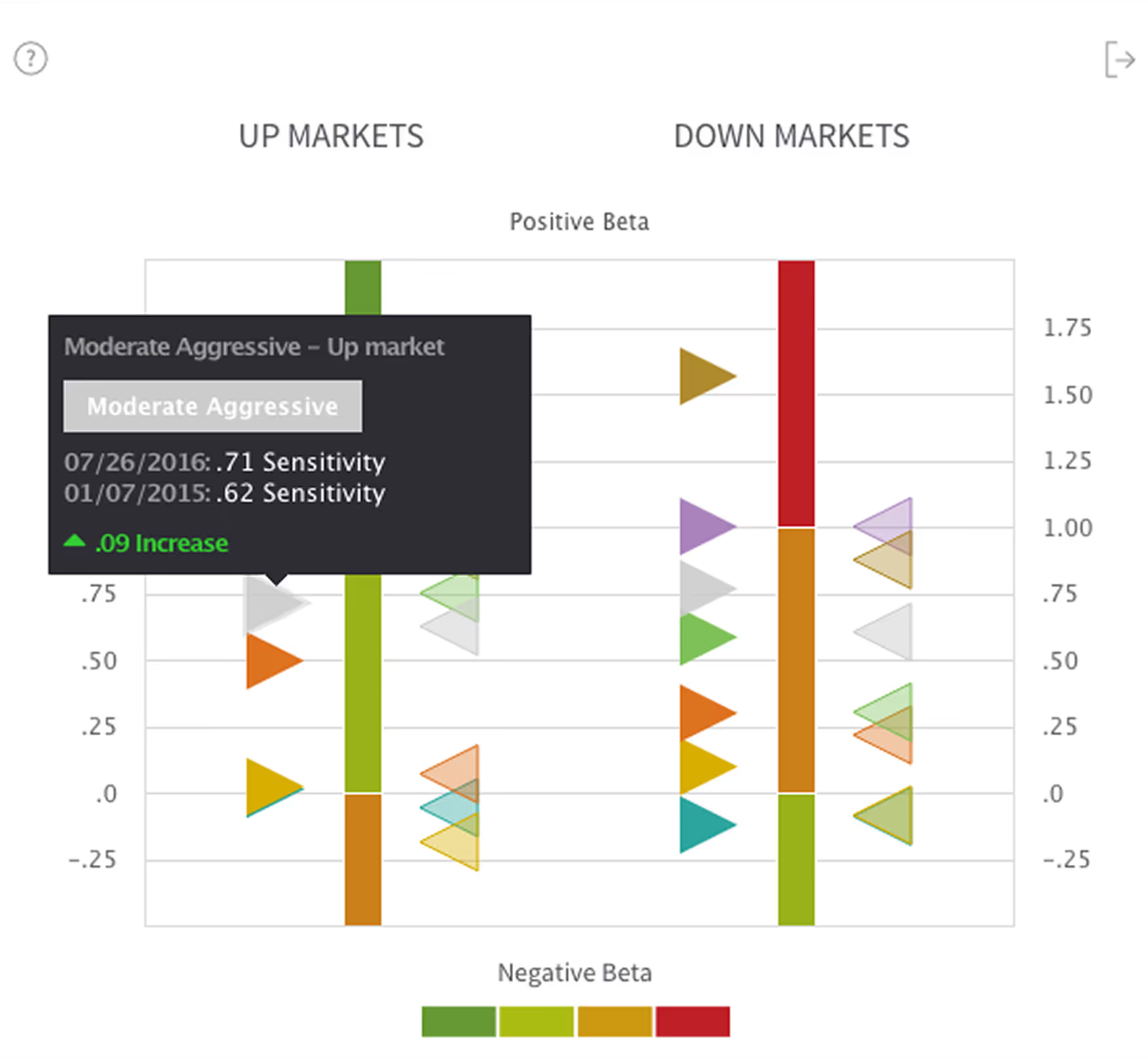
Diagram comparing asset price behavior in up markets and down markets, showing greater than and less than market movements with up and down arrows.
Bar chart comparing positive and negative beta values in up and down markets, highlighting Moderate Aggressive investment sensitivity increase from 0.62 to 0.71.

Asset Diversication

This chart indicates the available diversification when using the assets or asset classes set in the analysis, set on a value between 0 (no diversification) and 1 (complete diversification).

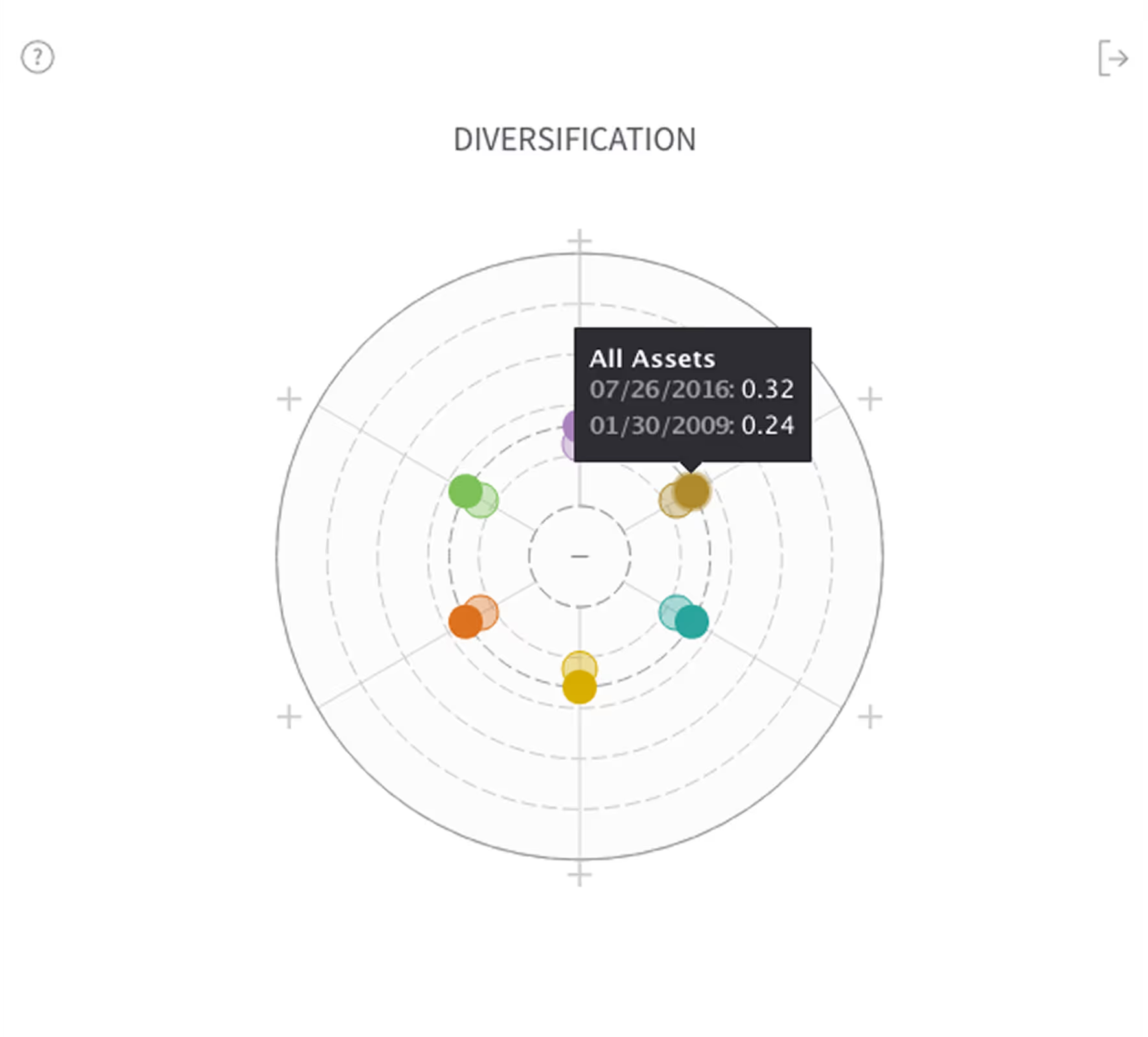
Diagram showing diversification from none to complete with two circles; none has four small circles clustered inside, complete has four small circles spaced evenly around.
A circular radar chart titled Diversification showing data points for various assets with a tooltip displaying All Assets values for 07/26/2016 and 01/30/2009.

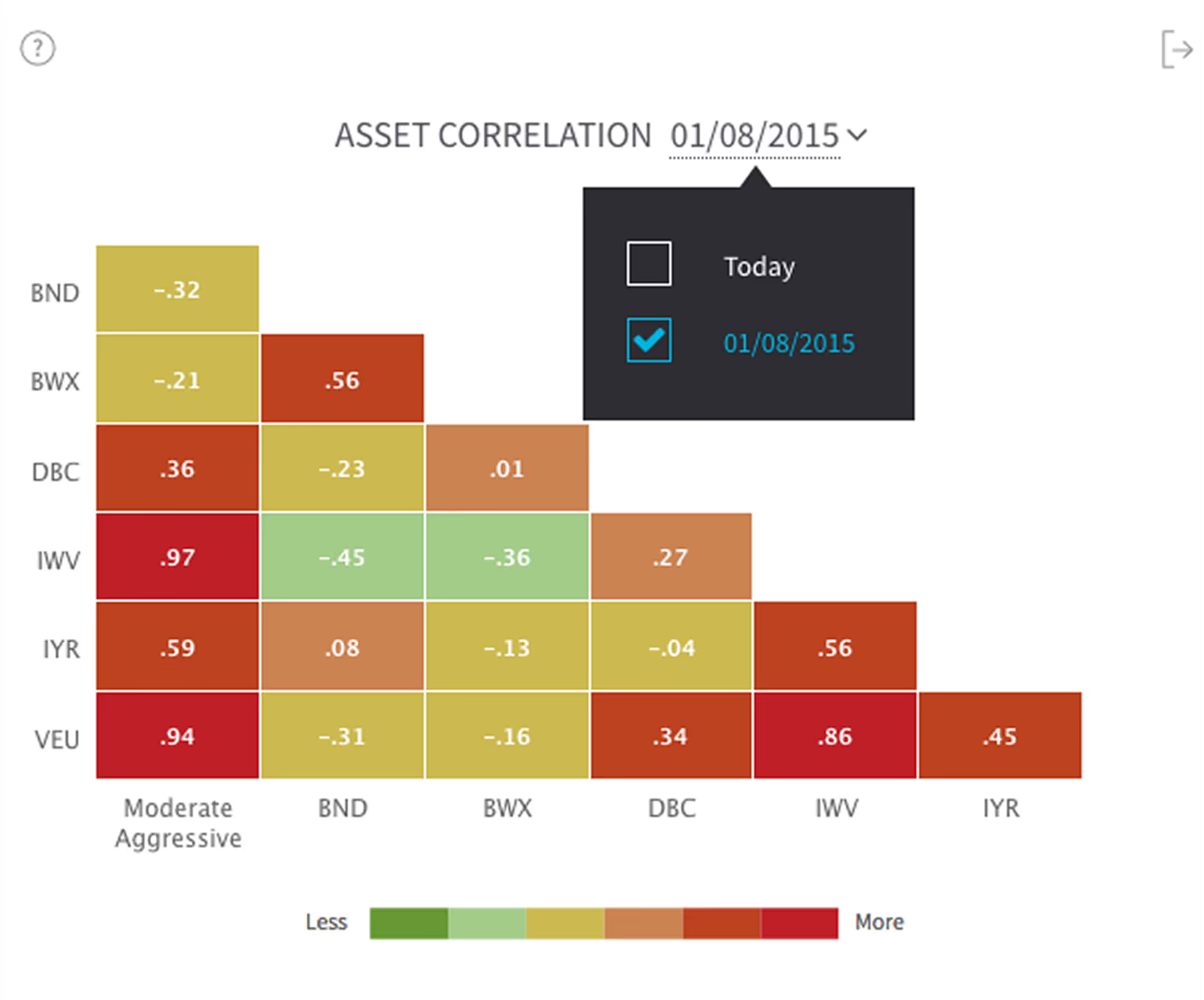
Asset Correlation

This chart measures the relationship between the changes of two assets or asset classes' dependence/correlation in time. The user must toggle to the dashboard's comparison date to compare assets for that date, since this chart is comparing assets in a given time.

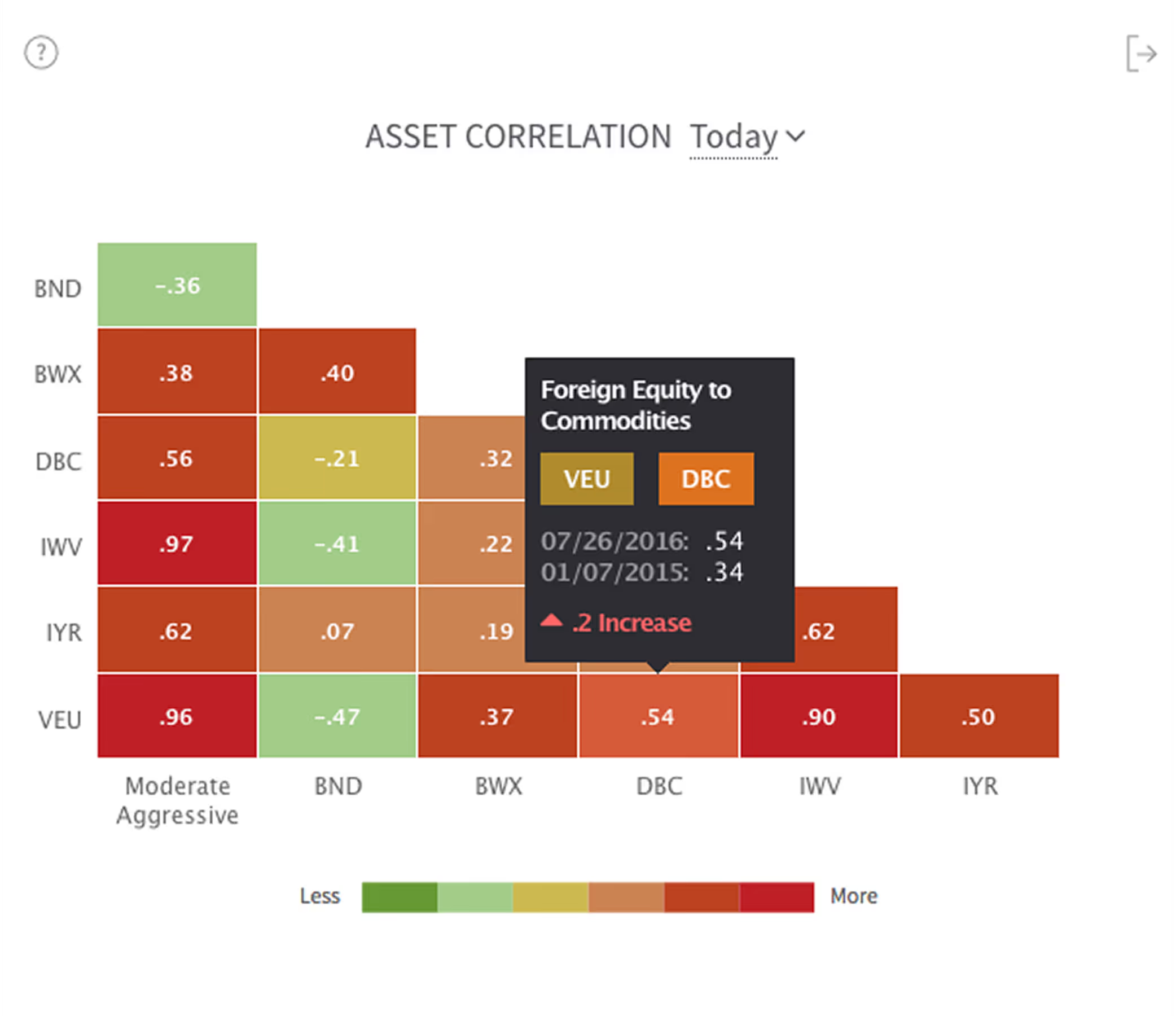
Diagram explaining asset correlation with red and green arrows showing that Asset A and Asset C are highly correlated, while Asset B and Asset C are negatively correlated.
Asset correlation heatmap showing correlation values between BND, BWX, DBC, IWV, IYR, and VEU with a color scale from green (less) to red (more). A tooltip highlights 'Foreign Equity to Commodities' correlation between VEU and DBC on two dates with a 0.2 increase.Colored correlation matrix heatmap showing asset correlations among BND, BWX, DBC, IWV, IYR, and VEU as of 01/08/2015, with color scale from green (less) to red (more).

Dashboard Design: Synergy and Control
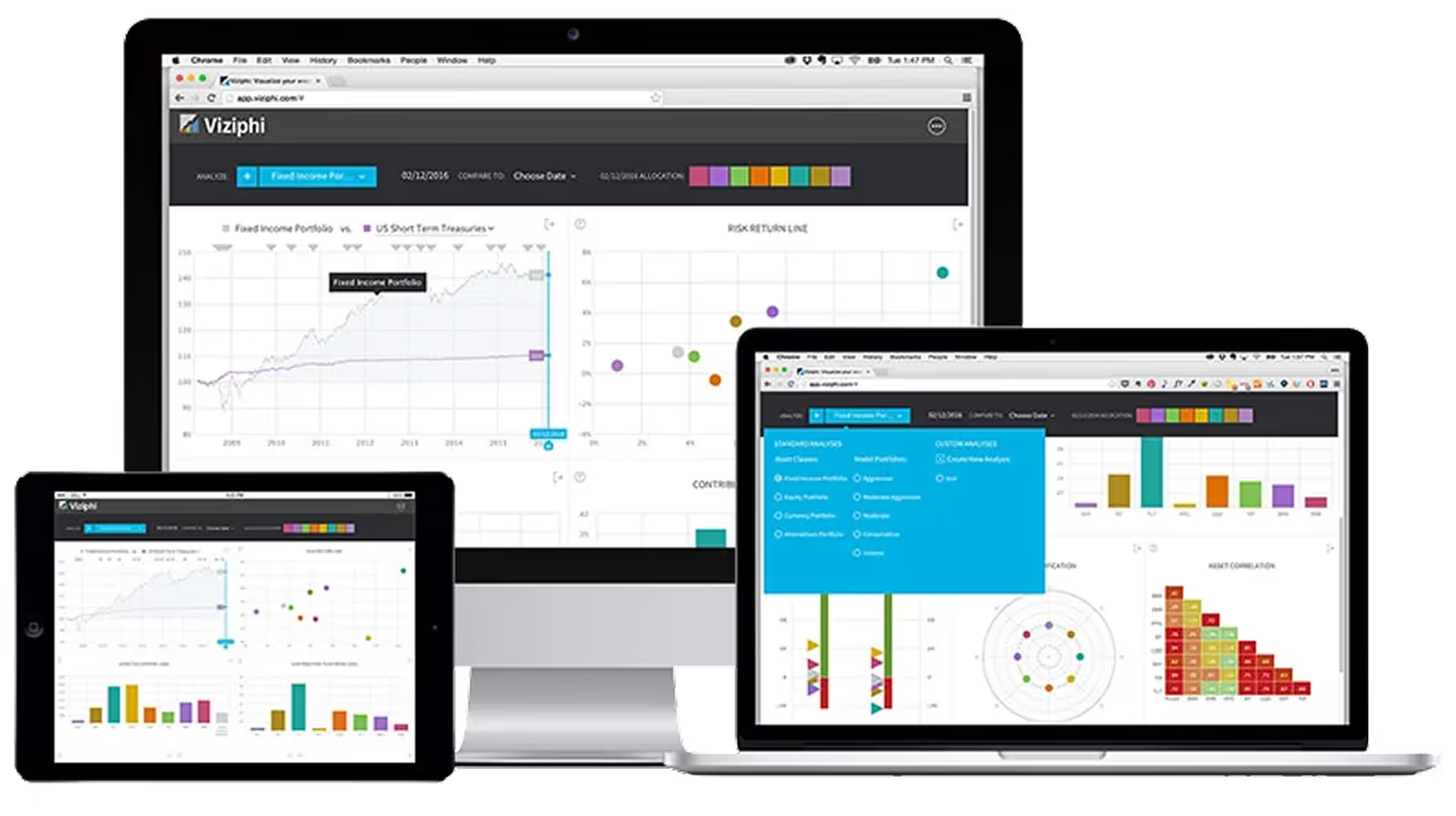
Desktop, laptop, and tablet displaying financial charts and graphs on Viziphi software interface.

Top Toolbar

The toolbar at the top is a sticky element for high-level tasks such as creating and setting the analysis, setting comparison dates, and a quick-view reference for portfolio asset allocation.

User interface showing a date comparison and colored bar allocations for dates 07/26/2016 and 01/07/2015 with a dropdown labeled Moderate Aggressiveness.

Create Analysis Button

Here, the user can quickly choose between benchmarks provided by Viziphi, choose a previously created custom analysis, or start a new custom analysis.
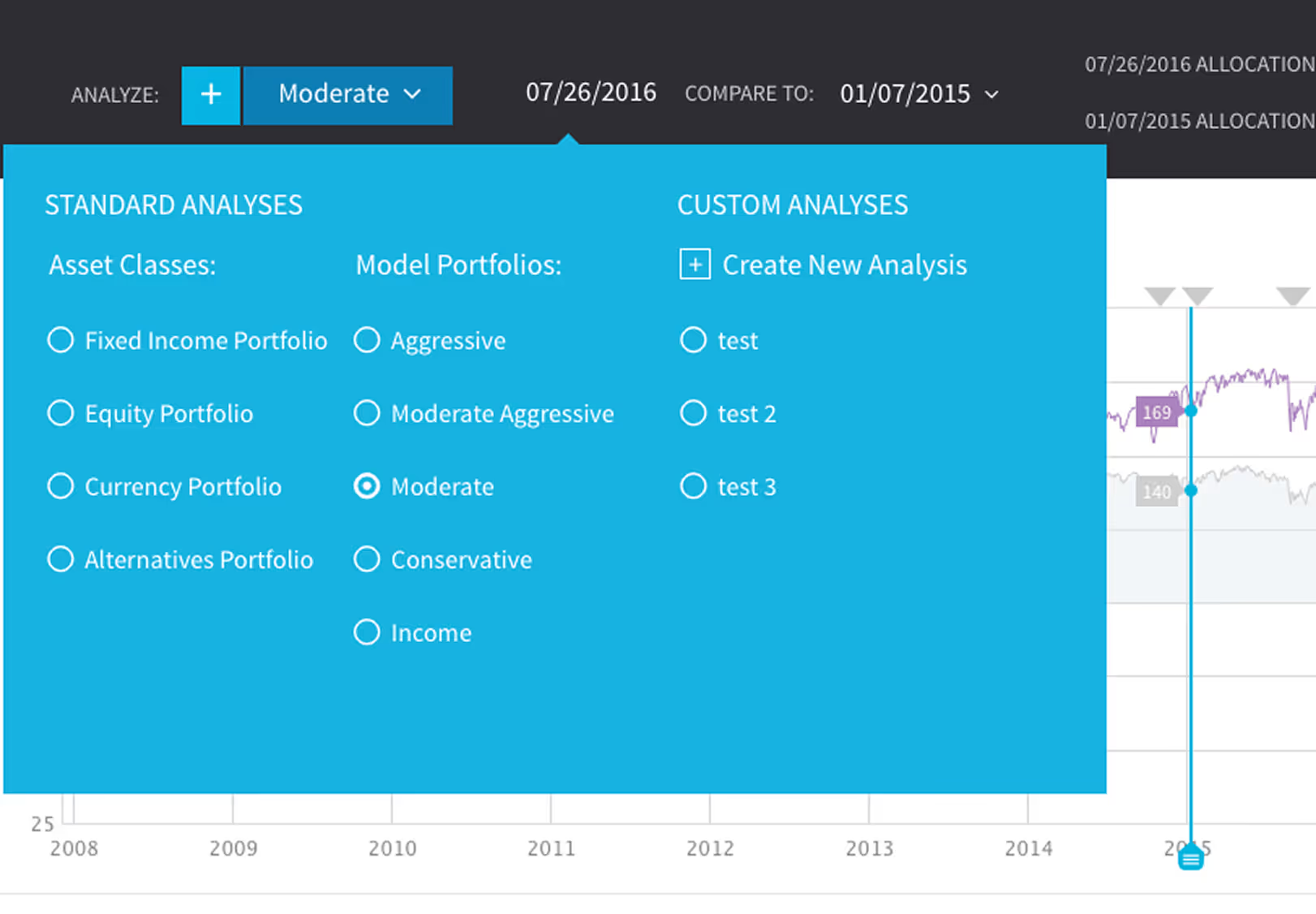
Analysis panel showing options to select asset classes, model portfolios, and custom analyses, with Moderate portfolio selected and date set to 07/26/2016.

Compare Dates

Here, the user can quickly choose between benchmarks provided by Viziphi, choose a previously created custom analysis, or start a new custom analysis.
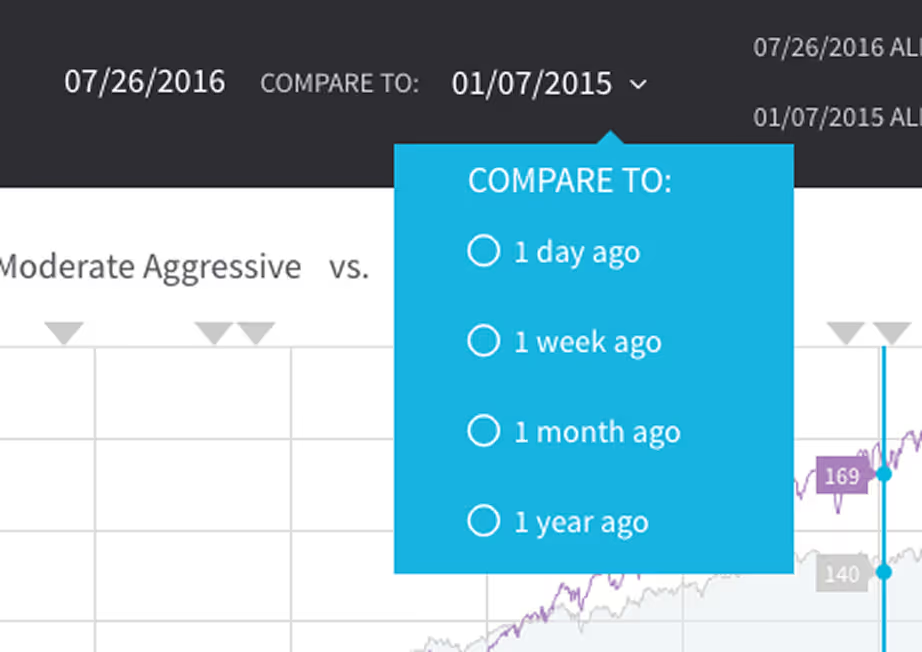
Dropdown menu with options to compare dates for 1 day ago, 1 week ago, 1 month ago, or 1 year ago on a financial performance chart.

Custom Analysis

Many times, users will want to construct their own custom analysis using specific assets and asset classes. Users would also want to save these analyses, so they can be reviewed, adjusted, and/or shared later. Viziphi makes this process super easy.
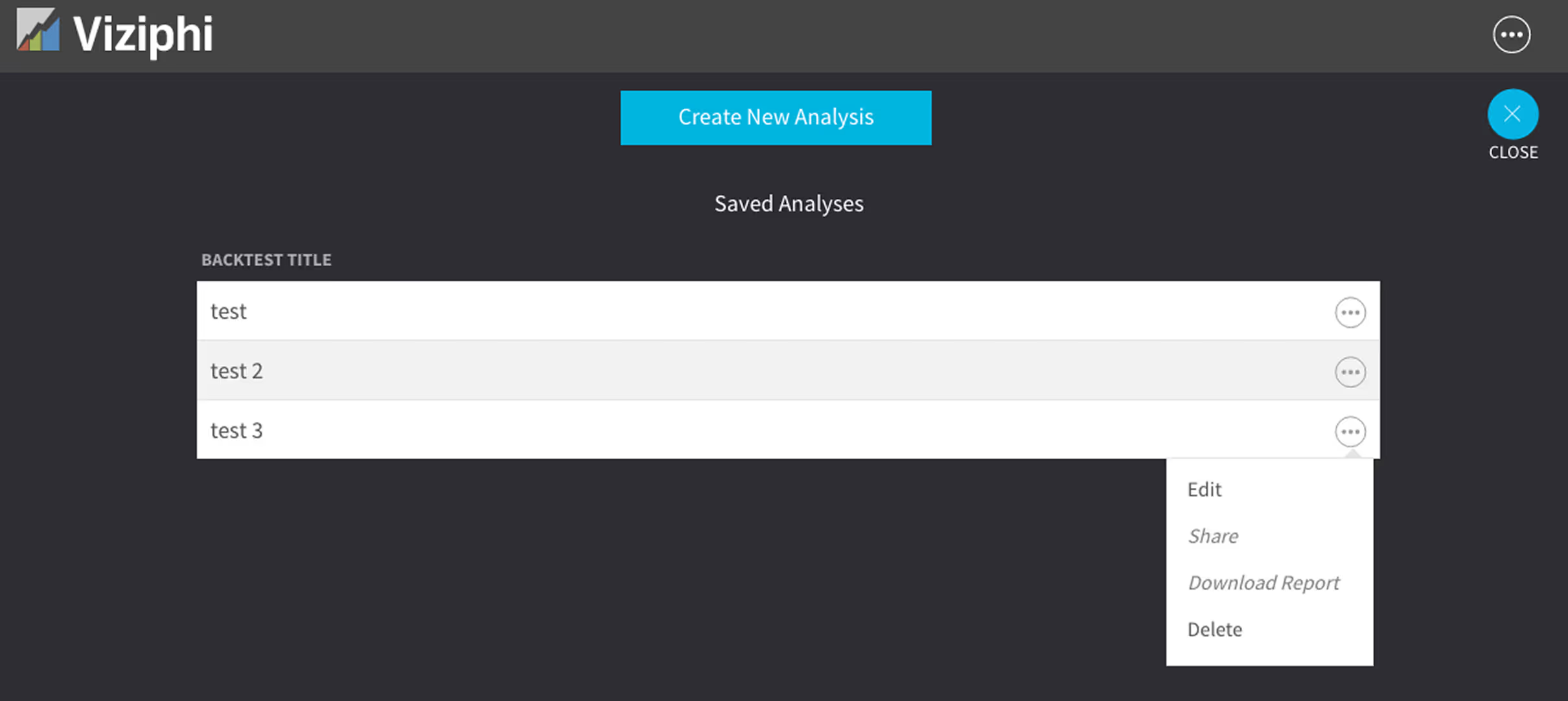
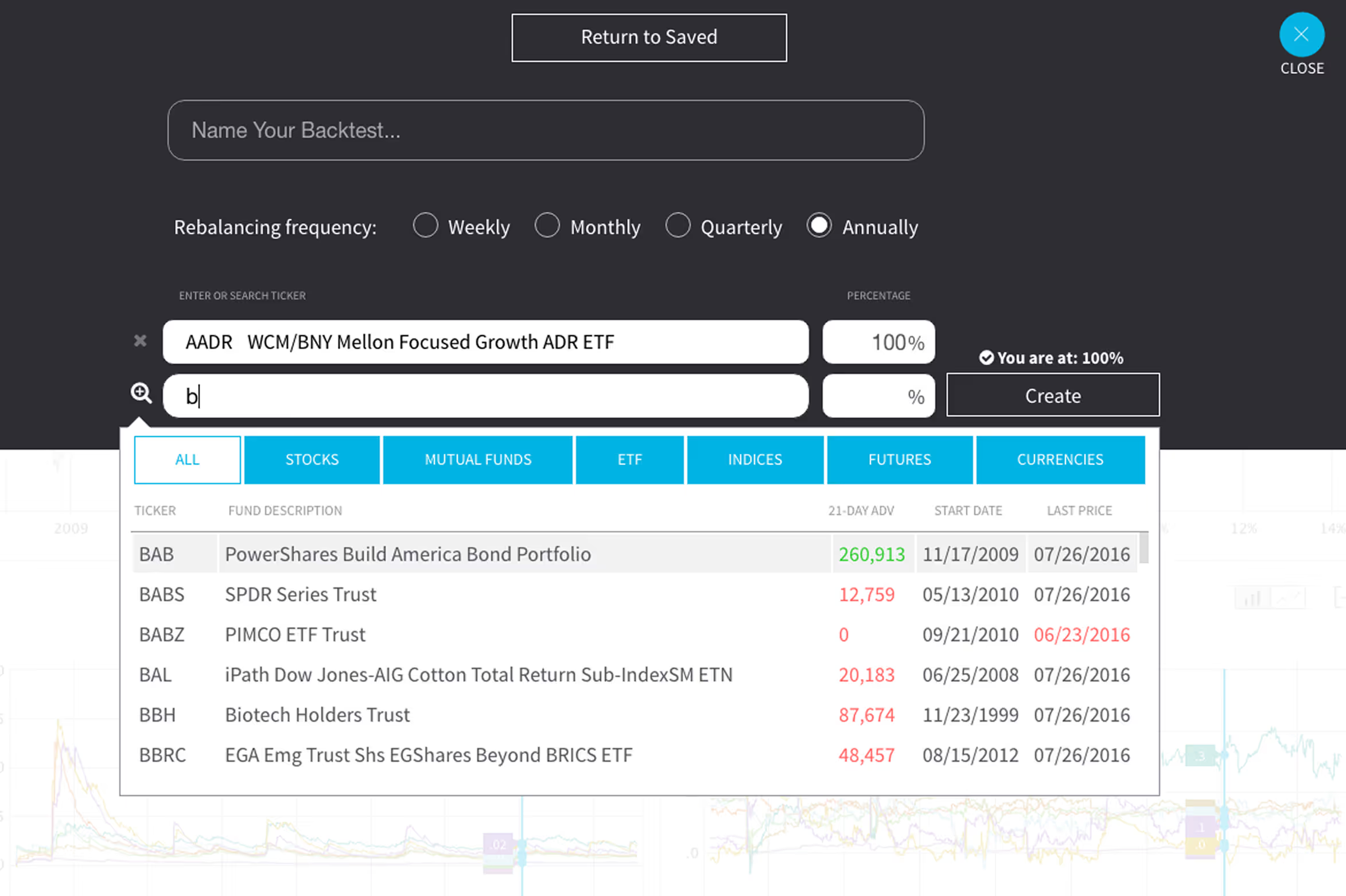
Viziphi app interface showing a list of saved analyses with titles test, test 2, and test 3, and an options menu open with Edit, Share, Download Report, and Delete actions.Interface for creating a backtest with options to name it, set rebalancing frequency annually, input ticker symbols with percentage allocation, and a searchable list of financial instruments by ticker, description, 21-day average volume, start date, and last price.

Monetization Strategy

→ Freemium model: Free for users with up to three analyses.
→ Premium tier: Unlimited saved analyses, enhanced sharing options, and time-based comparisons.
→ Fund placement: ETFs and funds can purchase limited in-app visibility based on user types and keywords.
→ API access: Available for institutional integrations.
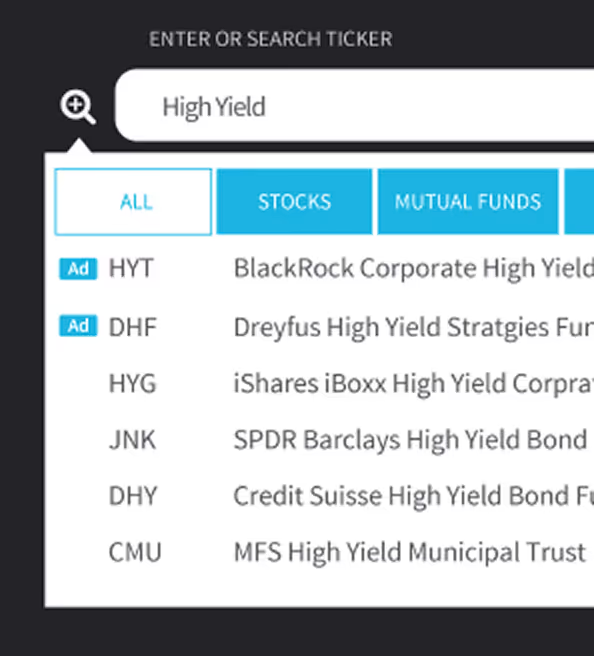
Search interface showing 'High Yield' query with tabs for All, Stocks, and Mutual Funds, listing related funds and their ticker symbols.

Sharing Insights That Matter

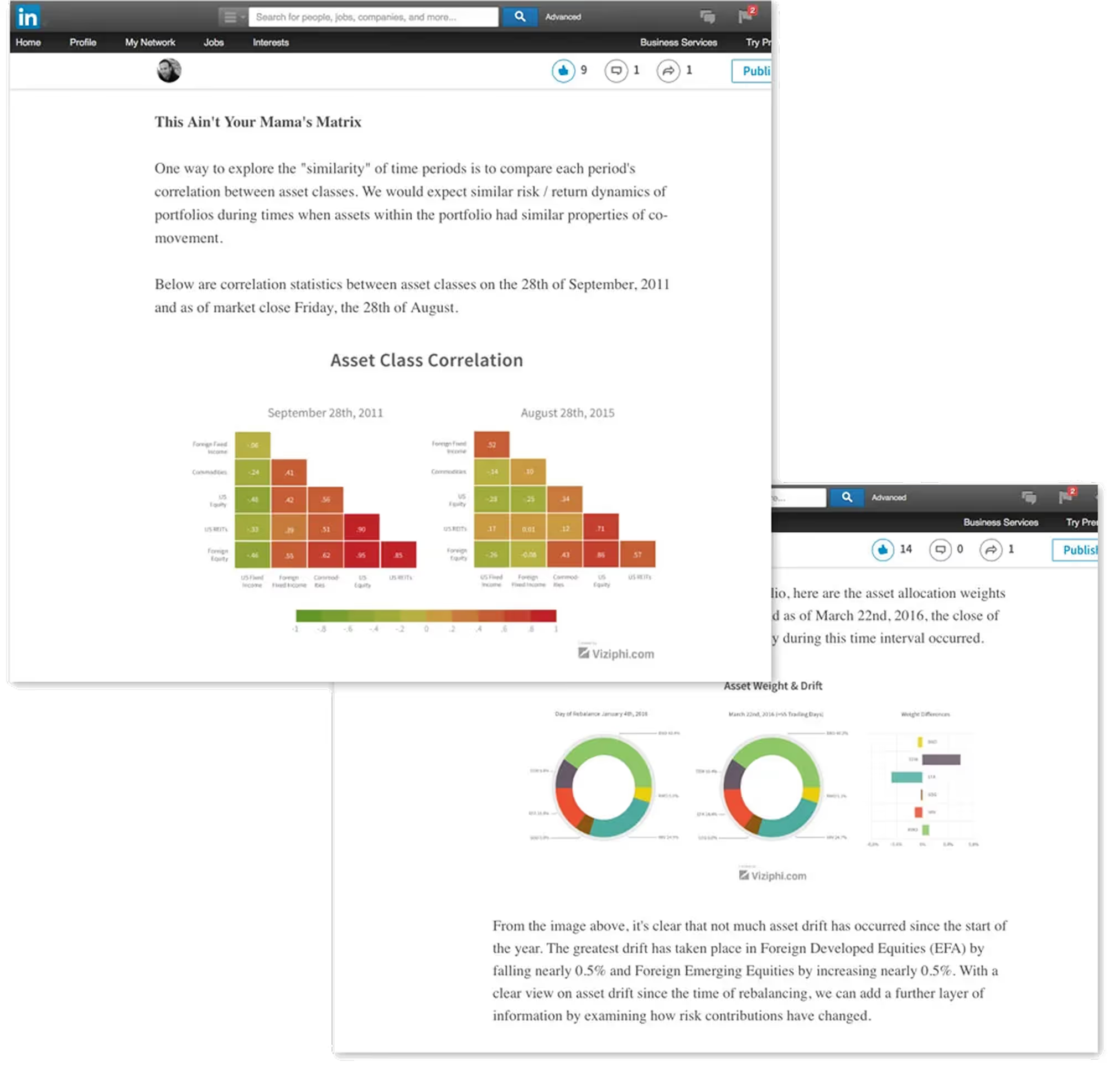
A key differentiator for Viziphi was its ability to share visual insights seamlessly. Charts could be embedded in presentations, reports, or financial articles—making data storytelling part of everyday advisory workflows.
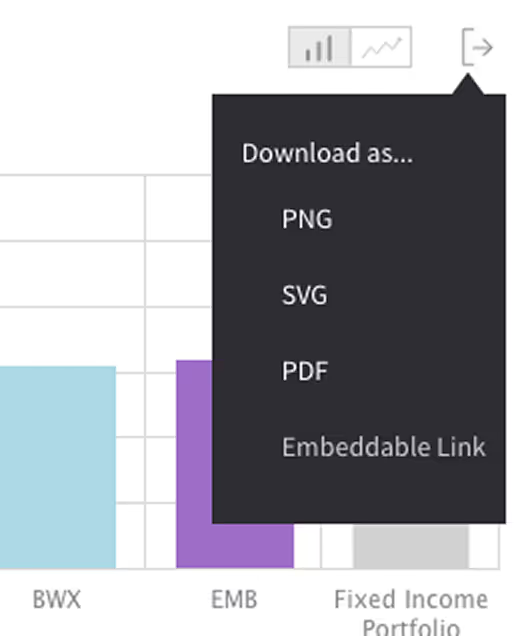
Dropdown menu with options to download a chart as PNG, SVG, PDF, or embeddable link.
LinkedIn post titled 'This Ain't Your Mama's Matrix' showing two asset class correlation heatmaps for September 28th, 2011 and August 28th, 2015, along with donut charts and bar graph depicting asset weight and drift as of March 22nd, 2016.

Visual Branding

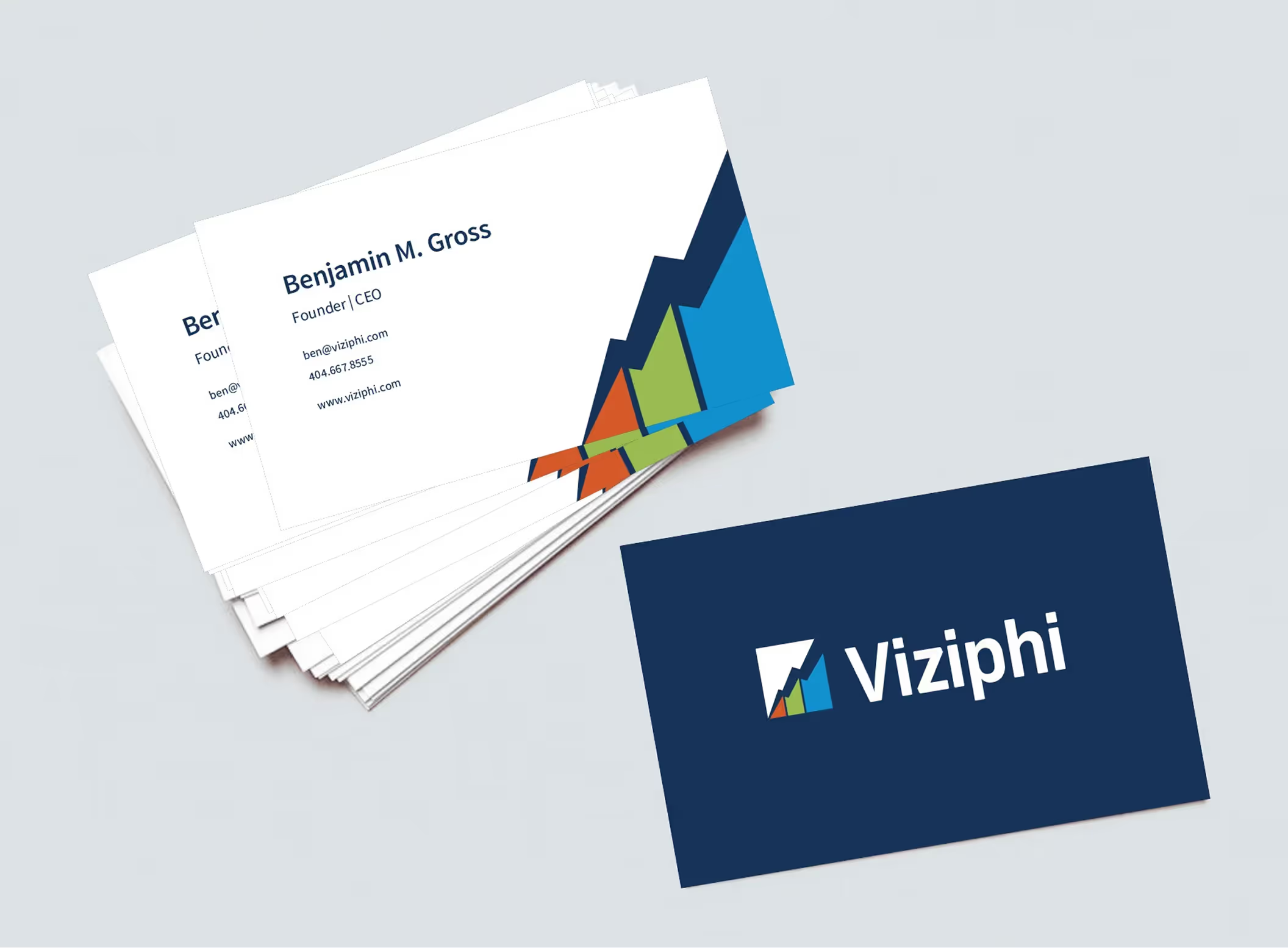
Two versions of the Viziphi logo, each with a graph icon of three colored bars and an upward arrow; one with dark blue text on a light background and one with white text on a dark background.Stack of business cards featuring Benjamin M. Gross, Founder and CEO of Viziphi, with company logo and contact information on white background and separate navy blue card with Viziphi logo.
Viziphi homepage featuring investment insights, with header 'Create value. Reduce your costs.', invitation to apply for alpha access, investment performance charts, and market insight videos.
Thank you!
I appreciate you taking the time to explore this project and the process behind it. If you’d like to connect, I’d love to hear from you—whether it’s to discuss a potential collaboration, compare notes on design challenges, or just say hello.
You can reach out directly using the links in the footer below, or head back to the Projects page to see more of my work.

Selected work

Transforming UX Maturity at Flowbird
Flowbird: UX Maturity
Estate Guru: Modernizing Estate Planning
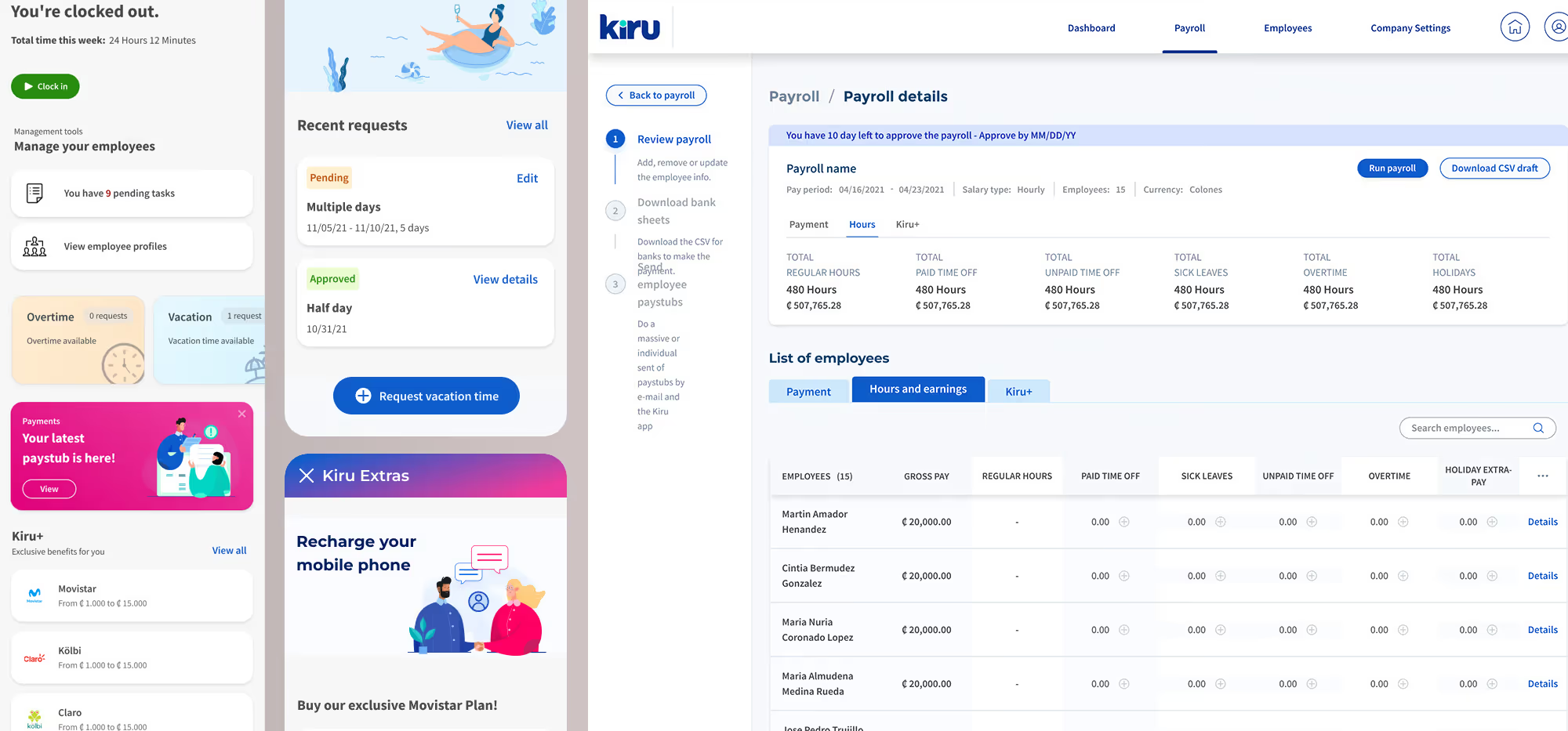
Designing a Connected Payroll Ecosystem for a Smarter Financial Future in LATAM
Kiru: A Payroll Startup
Unifying PayPal’s Card Ecosystem
PayPal: Unified Card System
Viziphi: Visualizing Wealth
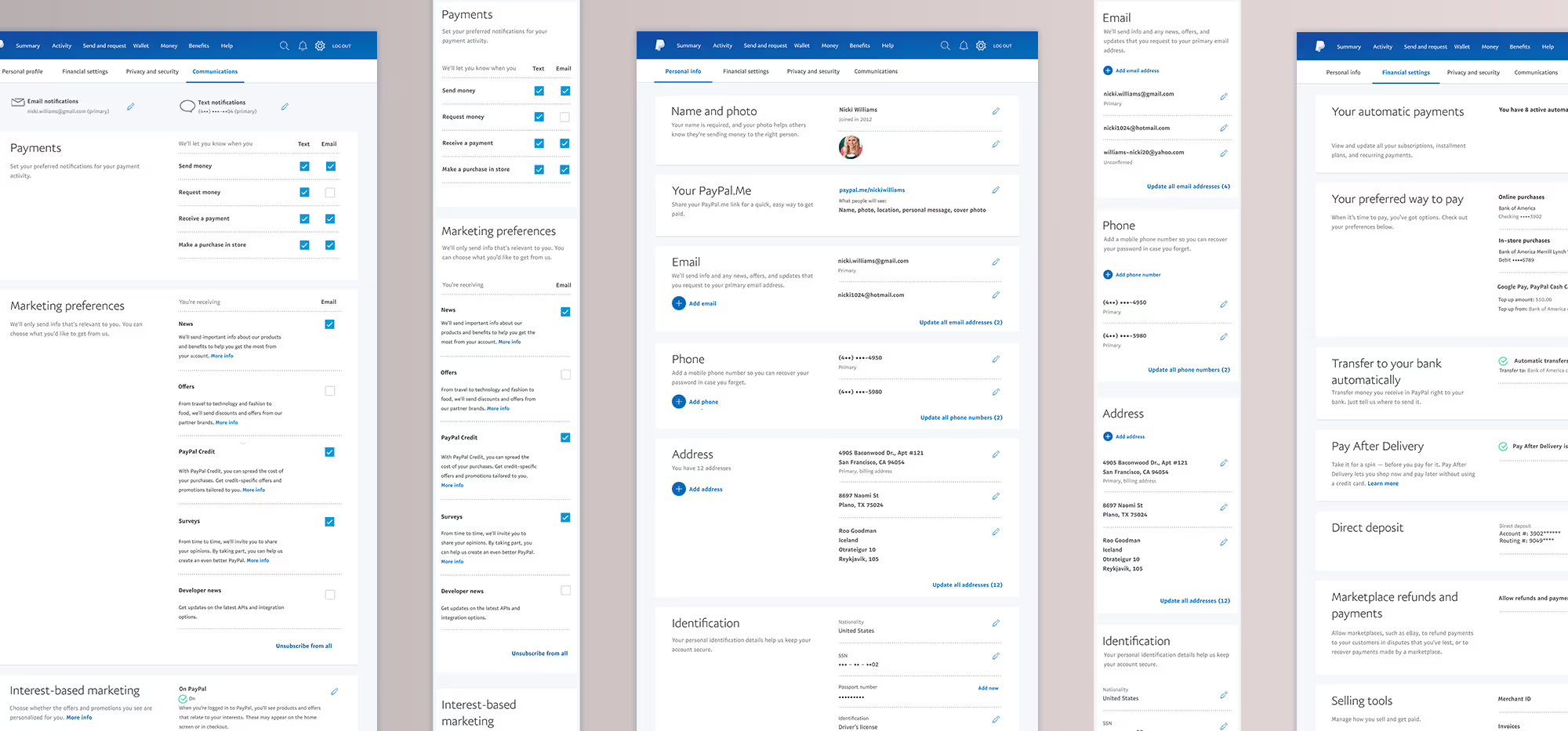
Redesigning PayPal Settings for Clarity, Consistency, and Control
PayPal: Settings Redesign
Appleton Talent's Rolecall: Building a Smarter Platform for K-12 Staffing
RoleCall: A Platform for K-12 Staffing